
iPhone steps not updating? Why they're late and how to fix it
iPhone steps not updating in Health or another app? Here's why step counts arrive late, what Apple documents, and the settings to check, in order, on iOS.

If your iPhone steps aren’t updating, the cause is usually one of two things: your iPhone isn’t allowed to count them, or it has counted them and another app hasn’t received them yet. Check Motion & Fitness first, then Apple Health, then the app that looks out of date. Apps are often behind Health because Apple limits how often they’re woken for new steps.
This guide goes through the fixes in order, then explains why step-based apps can lag. Apple doesn’t publish how quickly steps should appear in Health, so we’ll be clear about which parts come from Apple and which come from experience.
Quick answer
- No steps at all: turn on Fitness Tracking and Health under Settings > Privacy & Security > Motion & Fitness.
- Health is right, another app is behind: open that app. Apple limits background step updates to about once an hour.
- Apple Watch steps are missing: open Health, tap your profile, then Devices, your watch, Privacy Settings, and check Fitness Tracking is on.
- The numbers disagree: check which source Health puts first under Data Sources & Access.
- Your phone’s locked: apps can’t read Health while it’s locked, so they’ll catch up once you unlock it.
- If you use Fitlock: since version 1.9, step goals read your iPhone’s motion data too, on every plan, so they don’t have to wait for Health.
Why are my iPhone steps not updating?
Steps pass through a few stages, and each one can hold them up.
- Your iPhone counts them. Apple says the iPhone’s built-in sensors capture your step count and that Health counts steps automatically. The phone can only count steps if it’s with you.
- Health records them. Apple doesn’t say how long this takes. The makers of StepsApp say on their support page that Health’s data usually updates every other minute.
- Other apps get told. Apple’s developer documentation says step count updates in the background have an hourly maximum on iOS. An app that isn’t open can be an hour behind even when everything’s working.
- Your phone has to be unlocked. Health’s data can’t be read while the device is locked, so an app can’t refresh your steps in your pocket.
That’s why it’s so common to see one number in Health and a lower one somewhere else. In many cases nothing’s broken, and the app just hasn’t been told yet.
How to fix iPhone steps not updating
Work through these in order and stop when your steps come back.
- Check Motion & Fitness. Go to Settings > Privacy & Security > Motion & Fitness. Make sure Fitness Tracking is on, and that Health and the app you’re checking are switched on in the list.
- Open Health. Tap the Browse tab, then Activity, then Steps. If today’s number is right here, your iPhone’s fine and the problem’s in the other app.
- Open the app that’s behind. Opening it gives it a chance to read the latest number, and it’s the quickest test.
- Check Low Power Mode. Apple says Low Power Mode reduces background activity. Turn it off in Settings > Battery if a step app only lags when it’s on.
- Check your Apple Watch. Apple’s Health data guide says to open Health, tap your profile, tap Devices, tap your watch, tap Privacy Settings and turn on Fitness Tracking.
- Check your data sources. On the Steps screen, scroll down and tap Data Sources & Access. Apple says Health uses data you entered yourself first, then your iPhone, iPad and Apple Watch, then apps and Bluetooth devices.
- Restart your iPhone and update iOS. It’s a dull suggestion, but it clears up plenty of one-off glitches. We can’t point to an Apple page that lists it as a step fix.
Common step problems and what they mean
| What you’re seeing | Likely cause | What to do |
|---|---|---|
| Health shows no steps today | Fitness Tracking or Health is off | Check Motion & Fitness |
| Health is right, an app is behind | Background updates are limited | Open the app |
| A workout’s steps are missing until later | Your Apple Watch hasn’t synced yet | Keep your iPhone nearby, then open Health |
| Steps stop while your phone’s on a desk | The phone can’t count what it doesn’t feel | Carry it, or wear a watch |
| Two apps show different totals | Different sources or different timing | Check Data Sources & Access |
| Steps don’t change while the phone’s locked | Health can’t be read while locked | Unlock your iPhone |
How long do iPhone steps take to appear?
Apple doesn’t publish a figure, so anyone quoting an exact delay is estimating. What we can say from Apple’s documentation is that apps in the background get at most one step update an hour. For Apple Watch steps, an Apple engineer has said the sync to iPhone isn’t real time and that no developer tool can speed it up, though opening a Health-connected app can prompt one.
If you’re used to watching a number go up as you walk, that’s the difference between an app reading the motion sensors directly and an app waiting for Health to pass the number along.
Why does my step goal take so long to unlock?
This is the version of the problem we care about most, because Fitlock, the app we make, locks your chosen apps until you’ve moved. You walk 8,000 steps, your phone agrees, and the app you want is still locked, because the blocker is waiting on the same hourly update.
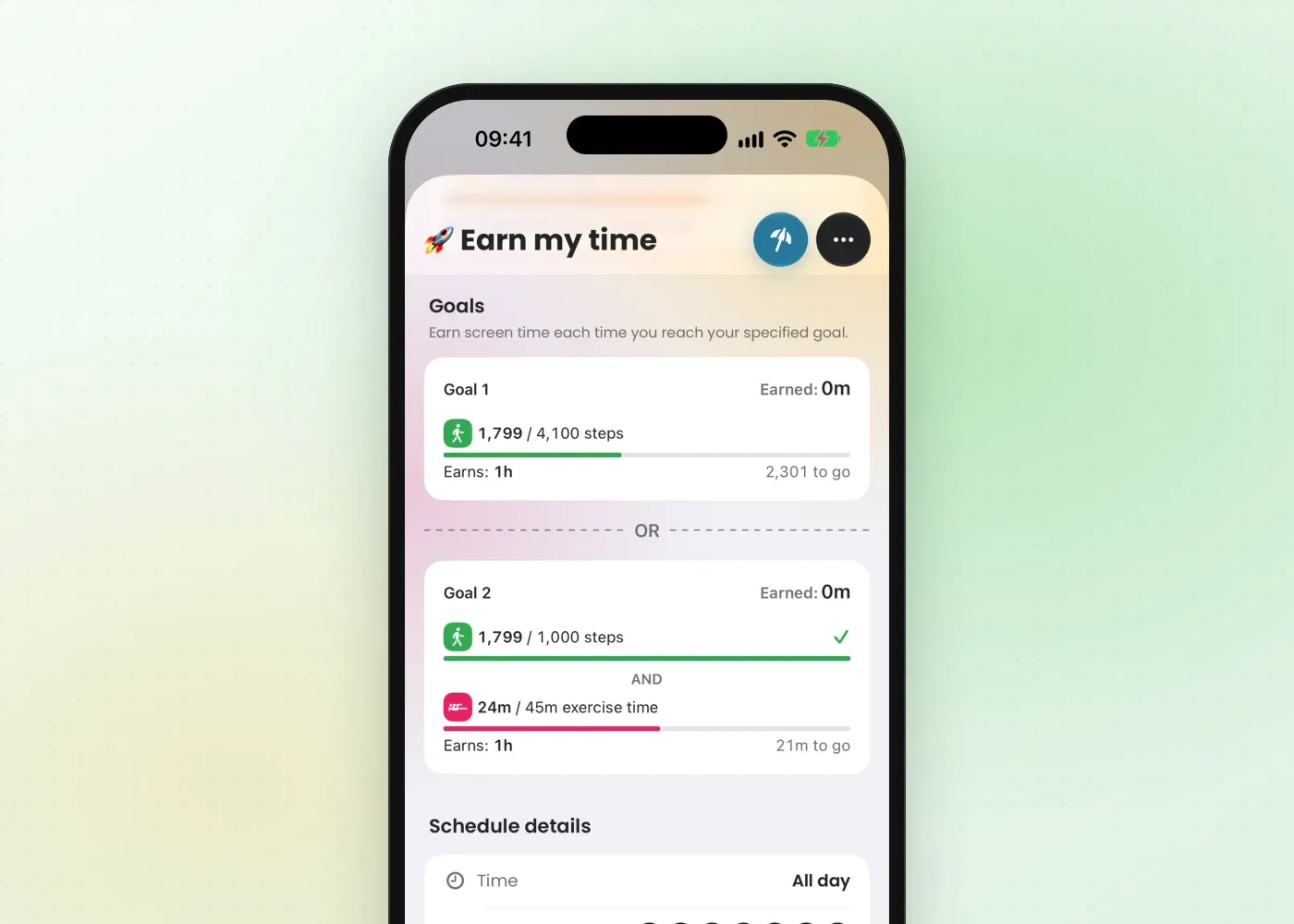
Version 1.9, released on 30 October 2026, changed how step goals work. As well as reading Apple Health, Fitlock now reads your iPhone’s own motion data and uses whichever number is higher, so steps your phone has counted are counted straight away when Fitlock checks them. You don’t have to wait for Health to catch up, and it keeps working if Health hasn’t got the numbers yet.
There are limits, because some of this is in Apple’s hands:
- It needs a moment to look. Fitlock checks when you open it, when iOS wakes it, or when you tap through from a blocked app. Opening Fitlock is the fastest way to update your goal.
- Apple Watch steps still have to sync. The motion data only covers your iPhone’s own steps, so if your phone stayed at home, those steps arrive when your watch syncs.
- Motion & Fitness has to be allowed. Without it, Fitlock falls back to Apple Health.
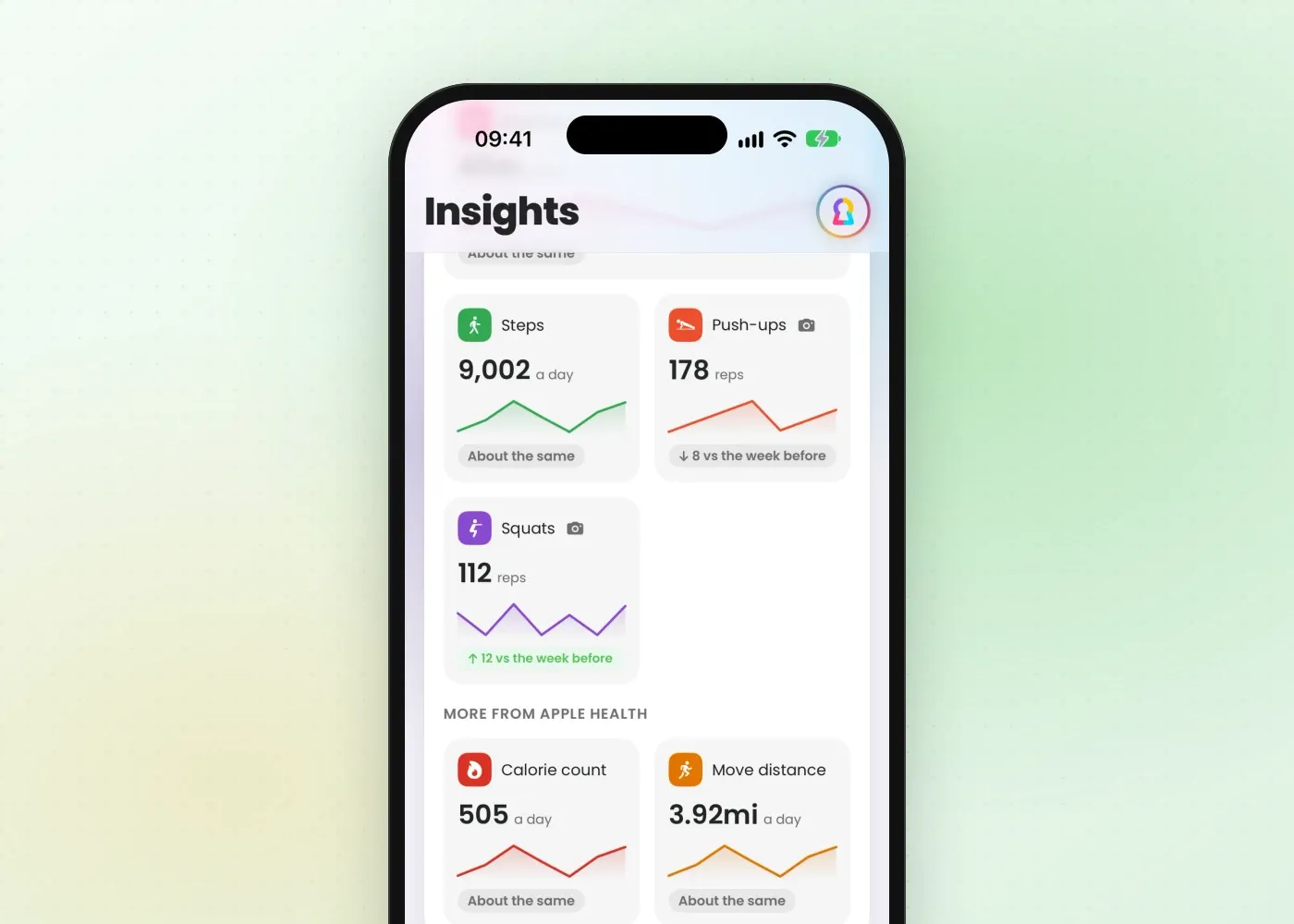
Fitlock’s Insights also shows your daily average steps beside your screen time. Because Apple Health keeps your history, Fitlock Pro can show how you moved before you installed the app.
Set a step goal that works for you
Once your steps are counting properly, the next question is how many to aim for. Our guide to how many steps a day you need goes through what the research says, and earning screen time with exercise shows how to tie those steps to your apps. If you’ve tried a passcode and it didn’t stick, limiting screen time on iPhone covers Apple’s own tools first. You’ll find what’s free and what’s in Pro on the pricing page.
Download Fitlock on the App Store to lock your apps behind a step goal. It works with your iPhone alone, and you don’t need an Apple Watch.