
Phone before bed: what the sleep research says
What using your phone before bed does to your sleep, according to the NHS and sleep researchers, plus a practical wind-down routine worth trying tonight.

Reaching for your phone before bed is one of the most common habits going, and it is also one of the easiest things to blame for bad sleep. The story is a bit more mixed than the headlines suggest. Blue light gets most of the blame, but the research behind it is patchier than you’d think. What holds up better across studies is plainer: a phone keeps your mind switched on, it eats into the hours you’d otherwise spend asleep, and its notifications pull your attention back just as you’re trying to wind down.
Quick answer
- The link between blue light and poor sleep is weaker and less consistent than popular advice implies.
- Stimulation, content and notifications are better supported as reasons why phones disrupt sleep.
- Using a phone in bed also displaces sleep time directly: the minutes spent scrolling are minutes not spent asleep.
- A short screen-free wind-down, plus your iPhone’s own Sleep Focus, Downtime and Night Shift settings, covers most of what the evidence points to.
- An evening schedule that blocks apps automatically, which is what Fitlock does, is one way to make the wind-down stick without relying on willpower alone.
What the evidence on using your phone before bed shows
For years, blue light was treated as the main reason phones before bed are bad news. Screens do emit more blue wavelength light than a dim room, and blue light can suppress the release of melatonin, the hormone that signals to your body that it’s time to sleep, as the Sleep Foundation explains.
But the evidence for how much this matters in ordinary use is less settled than that explanation suggests. In 2024, the National Sleep Foundation convened an expert panel to review the research on screen use and sleep across all ages, publishing its findings as a consensus statement in the journal Sleep Health. The panel could not reach consensus on whether the light from screen-based devices before sleep impairs sleep health in adults specifically, because the studies on this point are inconsistent. Where the panel did agree was broader: screen use in general is linked to worse sleep in children and adolescents.
What you’re doing on the screen seems to matter too. The National Sleep Foundation points out that doomscrolling a social feed or playing a game keeps your mind actively engaged in a way a book usually doesn’t, and that notifications, the pings, buzzes and badge counts, tend to pull your brain back into “response mode” right when you’re trying to relax. That’s a more consistent culprit than blue light on its own.
There’s also a simpler mechanism that doesn’t need any physiology to explain it: displacement. A survey of 10,106 adults in Saudi Arabia, published in Sleep Science in 2022, found that 95.1% had a smartphone in the bedroom and 80.7% used it regularly during sleep hours. Regular smartphone use at bedtime was associated with nearly double the odds of taking more than 30 minutes to fall asleep, and bedtime use of phones, tablets, computers and TVs was each linked to a 1.3 to 1.7-fold risk of moderate to severe daytime sleepiness. Time spent using a phone in bed is time that isn’t spent asleep, on top of whatever the light or the content is doing to you.
None of this means blue light is irrelevant, only that it’s one factor among several, and probably not the biggest one. The NHS recommends avoiding phones, tablets and computers for an hour before bed as part of a wider wind-down routine, alongside things like reading, breathing exercises or listening to music instead. That advice holds up whichever mechanism turns out to matter most in your own case.
How to stop using your phone at night
A bedtime routine doesn’t need to be complicated to work. A few consistent habits, done most nights, tend to matter more than any single trick:
- Pick a cut-off time. An hour before bed is the NHS’s suggested starting point. If that feels like a big jump, start with twenty minutes and build from there.
- Move charging out of the bedroom. If your phone charges in the kitchen or hallway overnight, it can’t be the last thing you check or the first thing you reach for.
- Swap in something screen-free. Reading, stretching or a short walk all work; the point is giving your mind something to do that isn’t a feed.
- Dim the room, not just the screen. Bright overhead lights work against the same melatonin release that a screen does, so turning lamps down helps the whole routine.
- Keep it going at weekends. A routine you follow most nights is easier to keep than one you restart every Monday.
What your iPhone can already do
Before reaching for a third-party app, it’s worth knowing what’s already built into iOS. Three features cover most of what the evidence above points to, and Apple’s own support pages explain how to set each one up. For the wider toolkit beyond bedtime, our guide to limiting screen time on iPhone covers the rest.
Sleep Focus
Sleep Focus filters out notifications and calls during the hours you choose, so pings and dings can’t pull you back into “response mode” once you’ve settled in. Set it up by going to Settings > Focus > Sleep, then customising it. To make it recurring, open the Health app > Browse > Sleep, scroll to Your Schedule, tap Full Schedule & Options, then set your days, bedtime and wake time (see Apple’s Sleep Focus guide). You can also schedule a wind-down period, from 15 minutes to 3 hours before bedtime, that starts your Sleep Focus early.
Screen Time Schedule (Downtime)
A Screen Time Schedule blocks apps for a period you set, so the phone itself stops offering distractions at bedtime. In iOS 27, go to Settings > Screen Time > Screen Time Schedule, turn on Schedule, tap Add Schedule, pick the days, then set the Time Window’s start and stop times. On iOS 26 and earlier the same feature is called Downtime: go to Settings > Screen Time, turn on App & Website Activity, tap Downtime, choose Scheduled, then pick Every Day or Customise Days and set your times. Apple’s guide covers both versions.
Night Shift
Night Shift shifts your display to warmer colours in the evening, which Apple describes as easier on the eyes rather than as a sleep aid specifically. Turn it on via Settings > Display & Brightness > Night Shift, where you can also set a schedule and adjust the colour temperature, or toggle it from Control Centre by holding the brightness control (see Apple’s Night Shift guide). It’s a reasonable thing to leave on, but on its own it won’t touch the stimulation or notifications that the research points to more strongly.
One option: an evening schedule that blocks apps automatically
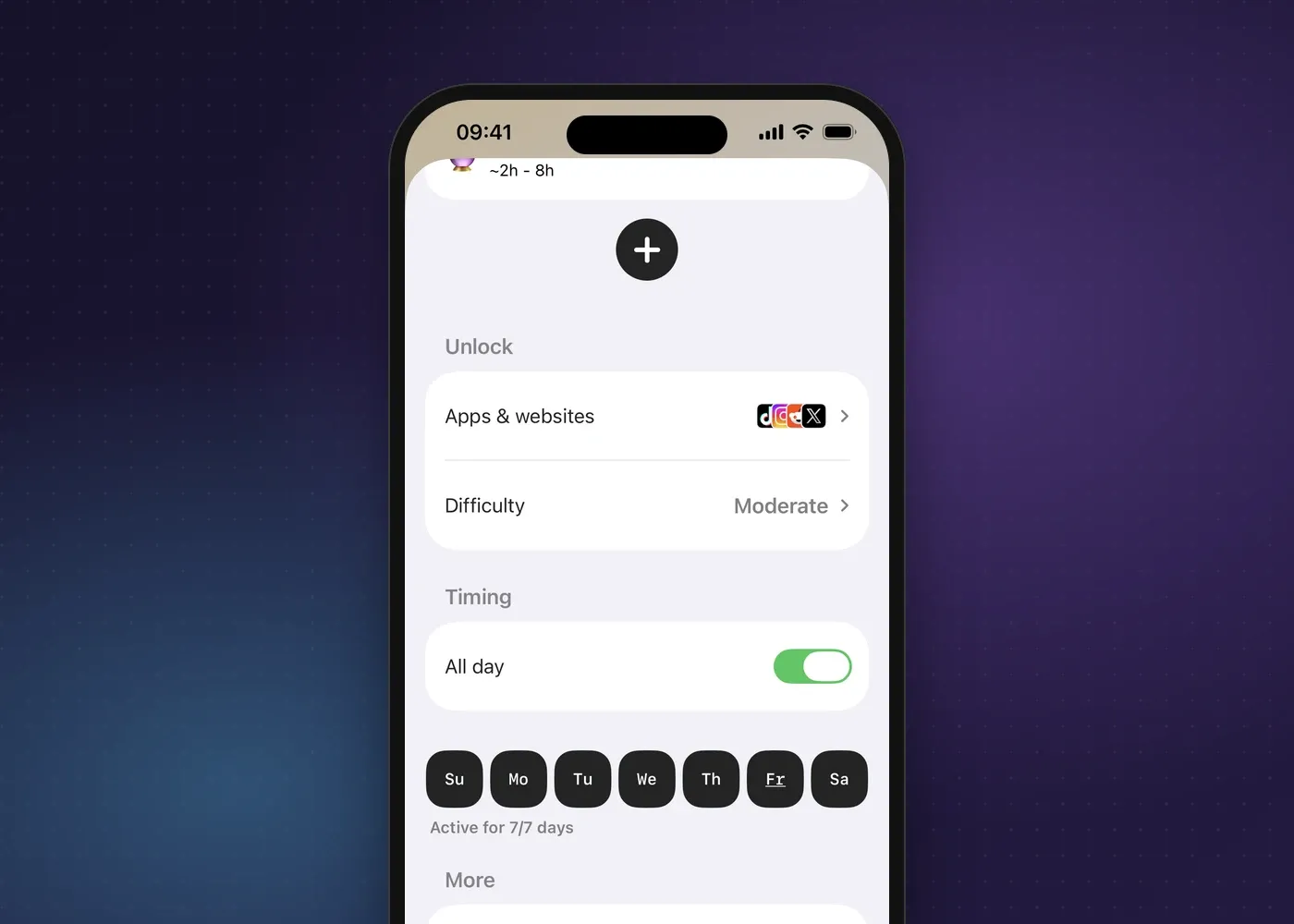
Turning a cut-off time into a habit is the hard part, which is where an automatic schedule can help more than a manual reminder. Fitlock lets you set a schedule that locks chosen apps and websites from a set time each evening, say 10pm. Any extra time is something you earn by hitting a daily health goal, such as a step count, so a late scroll has to be earned during the day rather than being the default. You choose the apps or sites and which days it runs, and the free plan covers one schedule; Pro adds unlimited schedules and every goal type, both explained on the pricing page. Details on breaks and how strict a schedule can be are in our schedule FAQ.
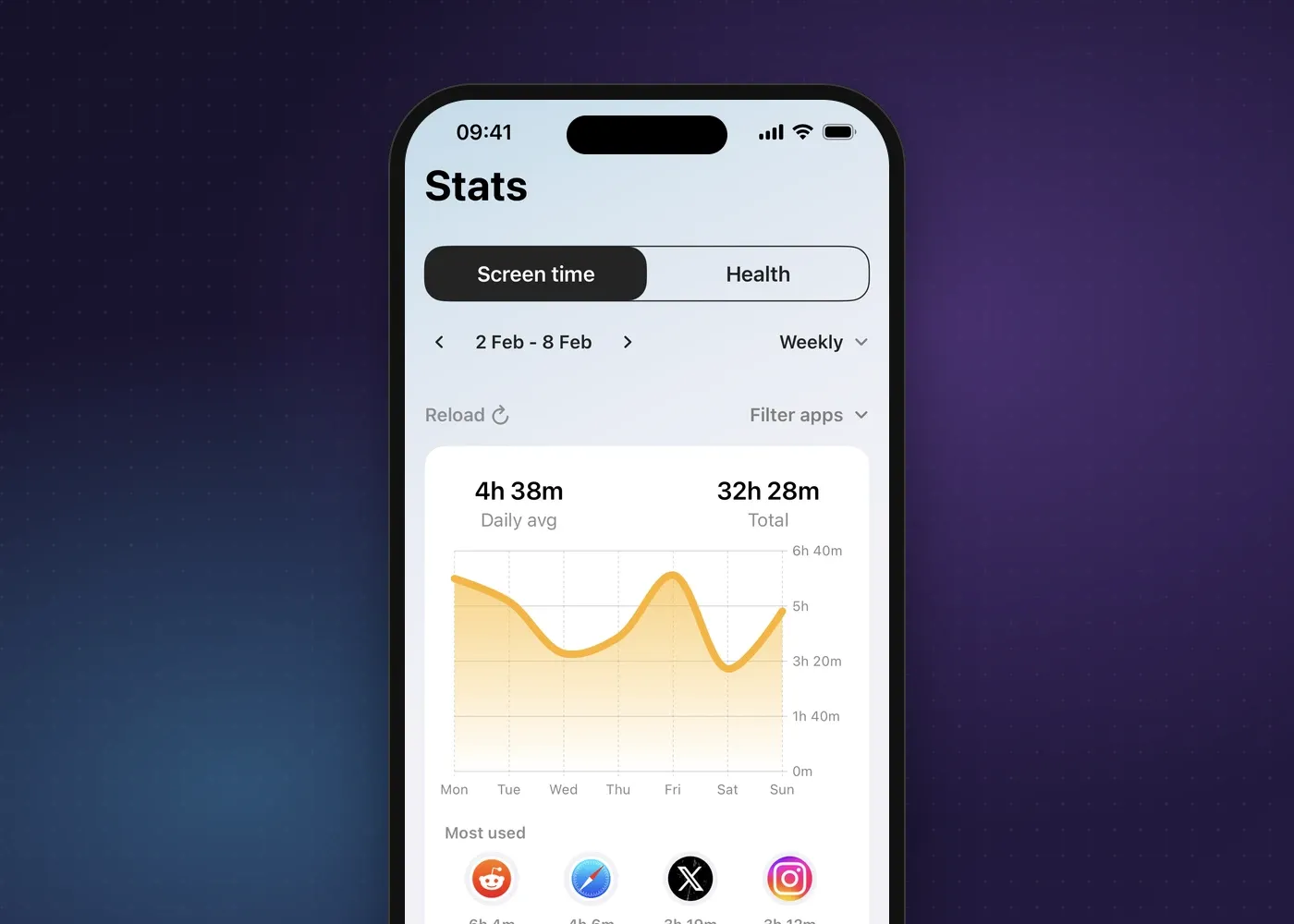
It helps to know where your evening screen time is going before you schedule around it. Fitlock’s Stats tab shows a week of screen time at a glance, with your daily average and the apps you’ve used most, so you can see whether it’s messages, social media eating into your evening or something else keeping you up.
A schedule like this won’t replace a proper wind-down routine, but it takes the decision out of your hands at exactly the point in the evening when willpower is lowest.
Try Fitlock this evening
The fix isn’t only about blue light. Fitlock can lock the apps that keep you up at a set time each evening, so the cut-off happens whether or not you feel like sticking to it on the night.